Disclosure: We earn a commission if you make a purchase through our links, at no extra cost to you. This doesn’t influence our reviews — we recommend tools based on thorough research, not commission rates.
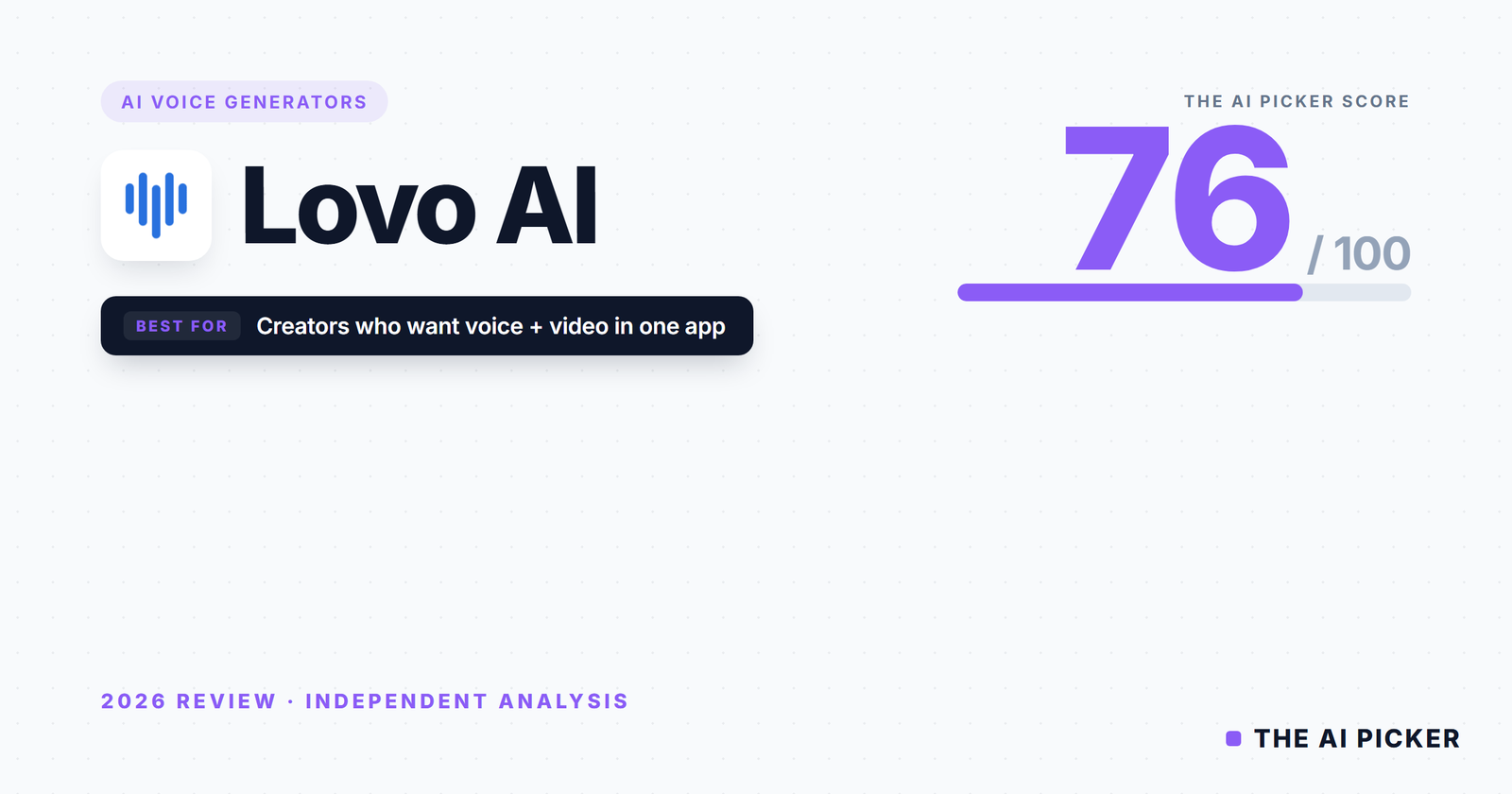
Quick Verdict + Rating: 79/100
Lovo AI — through its flagship product Genny — is one of the most complete voice generation platforms on the market. It scores 79/100 in our analysis, placing it ahead of Murf (77) but behind the premium quality of ElevenLabs (88). Where ElevenLabs wins on sheer voice realism, Lovo wins on workflow: 500+ voices, 100 languages, 30 emotional tones, voice cloning, a built-in video editor, an AI writer, and auto-subtitles — all in one subscription. For YouTube automation creators, course producers, and anyone who needs voice and video in a single tool, Lovo is the most practical choice in the category.
Get Started with Lovo AI — Free Trial →
What Is Lovo AI?
Lovo AI is the parent company; Genny is its flagship AI voice generation and video production platform. Unlike ElevenLabs (which focuses almost exclusively on voice quality) or Murf (which is voice-plus-light-video), Genny is positioned as a full content production engine — voice generation, video editing, script writing, and subtitle generation in a single interface.
The platform’s core pitch: stop switching between tools. Instead of writing in Google Docs, generating voice in ElevenLabs, editing video in Descript, and adding subtitles in CapCut, you do all four in Genny. For creators producing high volumes of faceless YouTube content, course videos, or social media clips, this workflow consolidation is the entire value proposition.
Lovo has over 500 AI voices across 100 languages, supports 30 distinct emotional tones, and offers voice cloning from a 15-minute consented sample. It’s used by solo creators, agencies, and educational businesses that need production at scale without the overhead of a multi-tool stack.
Key Features
500+ Voices Across 100 Languages
Lovo’s voice library is one of the largest in the category. Over 500 pre-built voices across 100 languages and accents means most global content needs are covered without external tools. User feedback consistently flags the library size as a key reason to choose Lovo over competitors.
The trade-off: volume over quality. Our research suggests that on a voice-by-voice basis, ElevenLabs produces more hyper-realistic output. Lovo’s voices are good-to-very-good across the board, but the absolute top-tier realism belongs to ElevenLabs. For most use cases — YouTube voiceovers, training videos, podcasts — Lovo’s quality is more than sufficient.
30 Emotional Tones
Lovo supports 30 different emotional tones per voice — warm, professional, excited, sad, whispered, shouting, and more. This is deeper emotional control than Murf offers and competitive with ElevenLabs’ emotional rendering.
User reviews frequently praise the “warm” and “professional” tones for training and explainer content, with multiple users noting that the emotional output sounds closer to human delivery than they expected from an AI tool.
Voice Cloning (Consented Input)
Users can clone a custom voice from a 15-minute sample of their own voice (or a voice they have consent to use). This is useful for creators who want a consistent brand voice, or for content businesses scaling a single host’s output.
Lovo emphasises consented-input only, which is aligned with industry best practice and protects against the misuse concerns that have plagued some voice-cloning tools.
Built-in Video Editor
This is what separates Lovo from every other voice tool. Genny ships with a full timeline-based video editor — users can drop generated voice directly onto a video, add subtitles, stock footage, images, and transitions, and export a finished video without leaving the platform.
For YouTube automation creators producing dozens of videos a month, this is transformative. The alternative is Lovo voice + Descript video + manual handoff, which is slower and more expensive.
AI Writer & Auto-Subtitles
Genny includes a built-in AI script writer for generating video scripts and an auto-subtitle generator that produces captions with one click. Both are serviceable rather than best-in-class — the AI writer is less polished than a dedicated tool like Jasper or Copy.ai, and auto-subtitles are comparable to Descript’s.
The value is in having everything in one place, not in any individual feature being the best.
SSML Support
Full SSML support means fine-grained control over pauses, emphasis, pronunciation, and pacing. This is important for professional voiceover work where precise delivery matters.
Commercial Licensing
Commercial rights are included on the Basic plan and above. This is critical for creators monetising content — some competitors restrict commercial use to higher tiers.
Pricing Breakdown
| Plan | Monthly Price (Annual) | What You Get |
|---|---|---|
| Free | £0 | 14-day Pro trial, limited access after trial, no commercial rights |
| Basic | $24/mo | Standard quality voices, 2 hours/month, limited commercial rights |
| Pro / Genny | ~$25/mo | Full Genny access, 500+ voices, commercial rights, video editor, voice cloning |
| Pro+ | ~$48/mo | Expanded quota, priority rendering, full commercial use |
| Agency | $75/mo | Extended quota, priority support, team features |
| Enterprise | Custom | Custom limits, SSO, dedicated support |
Where most users will land: The Pro (Genny) plan at around $25/mo (annual) is the realistic starting point. It unlocks commercial rights, the full 500+ voice library, voice cloning, and the video editor — the features that make Lovo worth choosing over cheaper single-purpose tools.
Free trial, not free tier: Lovo offers a 14-day Pro trial without requiring a credit card — more generous than Anyword’s trial, but less generous than a permanent free tier. After the trial, usage is heavily restricted.
Value framing: At $25/mo, Lovo is cheaper than ElevenLabs’ Creator plan ($22/mo, voice only) when you factor in the built-in video editor. Against Murf (starts at $29/mo voice-focused), Lovo offers more features at a similar price. For workflow-conscious creators, this is strong value.
Get Started with Lovo AI — Free Trial →
Score Breakdown
| Factor | Score | Weight | Weighted |
|---|---|---|---|
| Core Performance | 82/100 | 30% | 24.6 |
| Ease of Use | 80/100 | 20% | 16.0 |
| Value for Money | 82/100 | 25% | 20.5 |
| Output Quality | 76/100 | 15% | 11.4 |
| Support & Reliability | 72/100 | 10% | 7.2 |
| Overall | 79/100 | 79.7 |
Core Performance (82/100): The breadth of what Lovo does in a single interface is genuinely impressive — 500 voices, 100 languages, 30 emotions, voice cloning, video editing, AI writing, subtitles. Each feature is competent or better, and the integration between them is the real value. Scoring held back slightly by individual features (AI writer, subtitles) being “good enough” rather than best-in-class.
Ease of Use (80/100): User reviews consistently praise the clean, template-led interface. The all-in-one design means new users can produce a finished video in a single session without learning multiple tools. Minor friction: with 500+ voices and 100 languages, the voice-selection UI can feel overwhelming until you save favourites.
Value for Money (82/100): Strong. At $25/mo (annual) for the Genny plan with 500 voices, video editor, and commercial rights included, Lovo delivers more per dollar than single-purpose voice tools. It’s the clearest value pick for creators producing content at volume.
Output Quality (76/100): Voice output is good-to-very-good across the library. Emotional rendering is surprisingly strong. Where it loses ground is at the absolute top end of realism — ElevenLabs’ best voices sound more indistinguishable from human than Lovo’s best. For most content creators, Lovo’s quality is well above the “good enough” threshold. For premium brand work or audiobook narration, ElevenLabs is the safer pick.
Support & Reliability (72/100): User reviews skew positive on support responsiveness on Pro+ and Agency plans. Basic-tier users report slower response times. No widespread reliability complaints surfaced in our research. Occasional render queue delays on peak demand are noted but not frequent.
Category Data Points — AI Voice Generators
| Data Point | Value |
|---|---|
| Voice naturalness | Good (Excellent on premium voices, Good across library average) |
| Voice library size | 500+ voices |
| Languages & accents supported | 100+ languages and accents |
| Voice cloning | Yes (15-minute sample, consented input) |
| SSML support | Full |
| Export formats | MP3, WAV, plus video formats (MP4) via built-in editor |
| Character/word limits on paid plan | Varies by tier (2 hours/month on Basic, expanded on Pro+/Agency) |
| Real-time generation | No (queue-based rendering) |
| Video integration | Yes (built-in video editor) |
| Commercial licensing included | Yes (on Pro and above) |
What We Liked
The all-in-one workflow is transformative for high-volume creators. Voice + video + script + subtitles in one tool saves hours per video compared to a multi-tool stack. For YouTube automation channels and course producers, this is the killer feature.
500 voices in 100 languages covers virtually any use case. Whether you need a Japanese narrator, a British newsreader voice, or a Spanish explainer tone, Lovo has options. Most competitors offer a fraction of this library.
Emotional range is deeper than expected. 30 tones per voice — and user feedback suggests they actually sound different, not just labelled differently. Warm, professional, excited, whispered — each renders distinctly.
Strong value at $25/mo. You get more features per dollar than any other serious voice tool in the category. The built-in video editor alone replaces a separate tool.
Commercial rights included on Pro plan. No hidden licensing fees or extra tiers to unlock monetisation. This is what most creators need, and Lovo includes it at the realistic starting price.
What We Didn’t Like
Top-end voice realism trails ElevenLabs. If you need the most human-sounding output for premium brand work or audiobook narration, ElevenLabs is better. Lovo’s voices are good across the board but don’t hit the same absolute ceiling.
The built-in AI writer is “fine.” It works, but compared to Jasper, Copy.ai, or Writesonic it’s noticeably less polished. Heavy script writers will still prefer a dedicated tool.
No permanent free plan. Only a 14-day trial. For users who want to keep a foot in the door without paying, competitors like Murf (limited free plan) or ElevenLabs (free tier) are friendlier entry points.
Render queues during peak times. Not real-time generation — longer videos can queue, which is a mild friction for creators who batch-produce.
The interface can overwhelm new users. 500+ voices and 100+ languages means a lot of UI surface area. First-time users benefit from the tutorials, but the learning curve is steeper than a minimalist tool like ElevenLabs.
Who Is Lovo AI Best For?
YouTube automation creators producing faceless channels at scale. The voice + video + subtitles pipeline in a single tool is unmatched for this use case. If this is your workflow, Lovo pays for itself immediately.
Course creators and educators producing training content in multiple languages. 500 voices across 100 languages with emotional tones suited to teaching content makes this a strong pick.
Solo creators and small agencies producing mid-volume video content who don’t want to manage a multi-tool stack. The consolidation saves both money and workflow overhead.
International content teams who need localised voiceovers across markets. Language and accent coverage is hard to match.
Who should look elsewhere: Premium brand audiobooks or top-tier narration work (ElevenLabs is better), teams that only need voice and already have video tools (ElevenLabs or Murf are more focused), and creators on a zero-budget who need a forever-free tier.
Get Started with Lovo AI — Free Trial →
Lovo AI Alternatives Worth Considering
ElevenLabs (88/100) — The top choice for absolute voice realism. Best-in-class emotional rendering and hyper-realistic output. Voice-only focus, no video editor. Better for premium narration work where quality trumps workflow. See our ElevenLabs review.
Murf AI (77/100) — A mature, well-supported alternative with strong business voices and solid workflow features. Lighter video integration than Lovo, smaller voice library. See our Murf AI review.
Speechify — A consumer-facing alternative focused on reading-aloud use cases rather than content production. Different positioning; not a direct competitor for creators.
Play.ht — Comparable library size and workflow features to Lovo, slightly more developer-focused. Review in pipeline.
Final Verdict
Lovo AI scores 79/100 — and that number tells a specific story. It’s not the most realistic voice generator (ElevenLabs wins there), and it’s not the cheapest (basic TTS tools win there). But it’s the best all-in-one content production tool for creators who need voice and video in a single workflow.
If you’re producing YouTube content at volume, creating courses in multiple languages, or running an agency that makes a lot of video, Lovo’s workflow advantage compounds with every video you produce. The Genny plan at $25/mo delivers more features per dollar than any other serious voice tool.
If you only need voice — no video, no scripts, no subtitles — ElevenLabs produces better-sounding output at a similar price.
Start with the 14-day Pro trial. Produce one complete video from script to export. If the workflow clicks, the subscription is a no-brainer. If you find yourself only using the voice feature, consider ElevenLabs instead.
Get Started with Lovo AI — Free Trial →
Frequently Asked Questions
Is Lovo AI better than ElevenLabs?
For all-in-one content production (voice + video + subtitles), yes. For pure voice realism, no — ElevenLabs produces more hyper-realistic output. The right choice depends on whether you’re buying a voice tool or a content production platform.
Does Lovo AI have a free plan?
Lovo offers a 14-day Pro trial (no credit card required) rather than a permanent free tier. After the trial, usage is heavily restricted. If you need indefinite free access, Murf or ElevenLabs both offer limited free tiers.
Can I use Lovo AI voices commercially?
Yes, on the Pro (Genny) plan and above. Commercial rights are included at the realistic starting price — no hidden upgrade required to monetise content.
How many languages does Lovo support?
Over 100 languages and regional accents. This is one of the widest language coverage in the category, making Lovo particularly suitable for international content creators.
Can Lovo clone my own voice?
Yes. Voice cloning requires a 15-minute sample and is restricted to consented input only — meaning you need permission to clone any voice that isn’t your own.
Structured Data
| Field | Value |
|---|---|
| Tool Name | Lovo AI (Genny) |
| Category | AI Voice Generators |
| Overall Score | 79/100 |
| Core Performance | 82/100 |
| Ease of Use | 80/100 |
| Value for Money | 82/100 |
| Output Quality | 76/100 |
| Support & Reliability | 72/100 |
| Price From | $24/mo (annual, Basic) |
| Free Plan | No (14-day Pro trial only) |
| Free Plan Limitations | N/A — trial-only access |
| Best For | YouTube automation creators and course producers needing voice + video in a single tool |
| Affiliate Link | https://lovo.ai |
| Last Reviewed | April 2026 |
Category Data Points — AI Voice Generators
| Data Point | Value |
|---|---|
| Voice naturalness | Good (Excellent on premium voices) |
| Voice library size | 500+ voices |
| Languages & accents supported | 100+ languages and accents |
| Voice cloning | Yes (15-min sample, consented) |
| SSML support | Full |
| Export formats | MP3, WAV, MP4 (via video editor) |
| C |